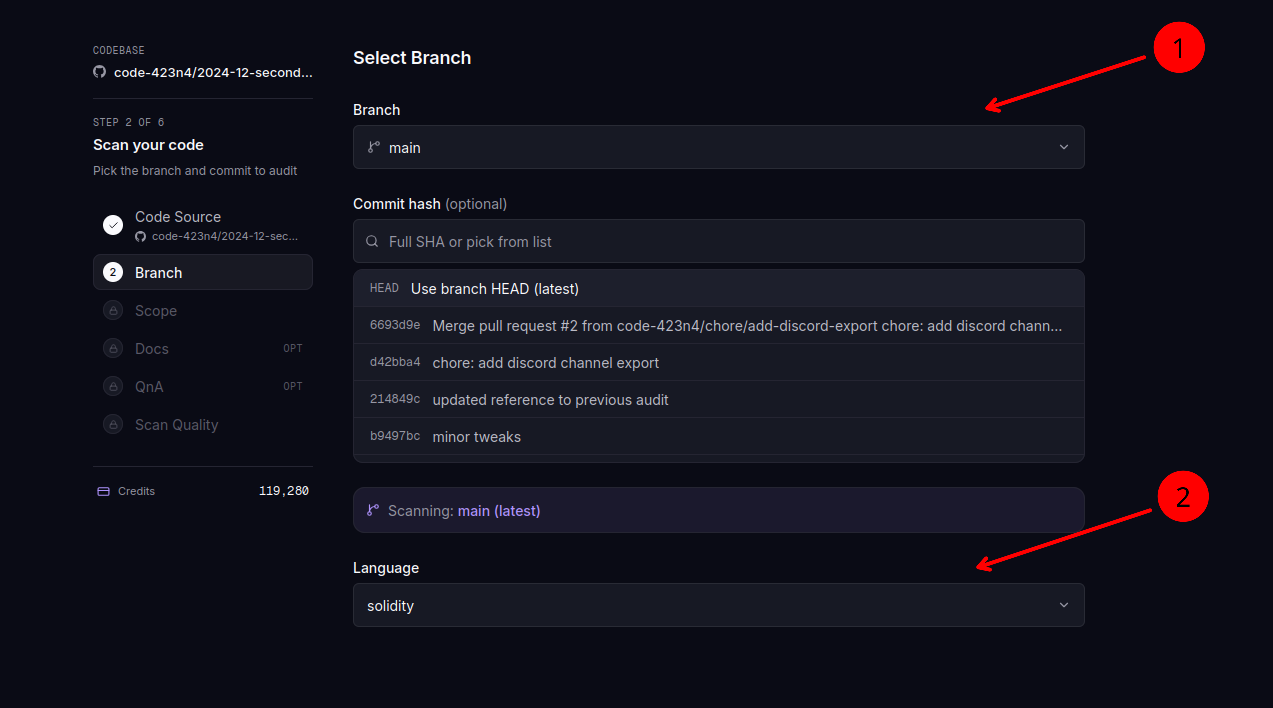
Select Version
After picking the repository, choose what to scan: the latest branch version, a specific commit, or a published release. Use the tabs to switch between branch and release selection, then click "Next".
When to pin a commit hash
By default, AuditAgent scans the latest commit on the selected branch. You can also enter a specific commit hash when you need a reproducible scan. Common cases include comparing the same codebase before and after a fix, or wiring AuditAgent into a CI pipeline that targets a known commit.
A branch HEAD shifts as new commits land. A commit hash is permanent, so it's the right choice when you want the scan to be exactly reproducible months later.
Scan a published release
Choose Release to scan a published GitHub or GitLab release. The list shows each release tag and date; use Load older releases when you need earlier versions. The review step confirms both the tag and the resolved commit so you can verify the exact source being scanned. Prereleases are marked in the selection status.
The scan records the release. The scan list, the results page and the PDF report show the release tag and its commit instead of the branch, and re-running the scan reopens the same release.
AuditAgent checks that the tag still points to the selected commit when the scan launches. If the tag was moved to a different commit, the launch is refused and you pick the release again. When you re-run an older scan whose release has since moved, the Version step keeps the commit that was scanned and tells you the release now points elsewhere.
Pick the contract language
The dropdown has three options.
solidityfor EVM contractscairofor Starknet contractsrust (solana)for Solana programs
The selection filters which files appear at the next step and tells the agent which language conventions to apply when reading the code. If you pick cairo but your repository only contains .sol files, the Scope step will show no contracts.
For more on each ecosystem, see Which ecosystems we support.