Initializing Project Memory
Setting up Persistent Memory for a project is a one-time process that analyzes your codebase and builds a knowledge base for future scans.
Prerequisites
- An active paid subscription (Pro, Business, or Custom)
- An available memory slot — your plan caps how many memories you can hold (Pro: 1, Business: 5, Custom: 5 by default). If you're at the cap, delete an existing memory first.
Step-by-Step Guide
1. Navigate to Persistent Memory
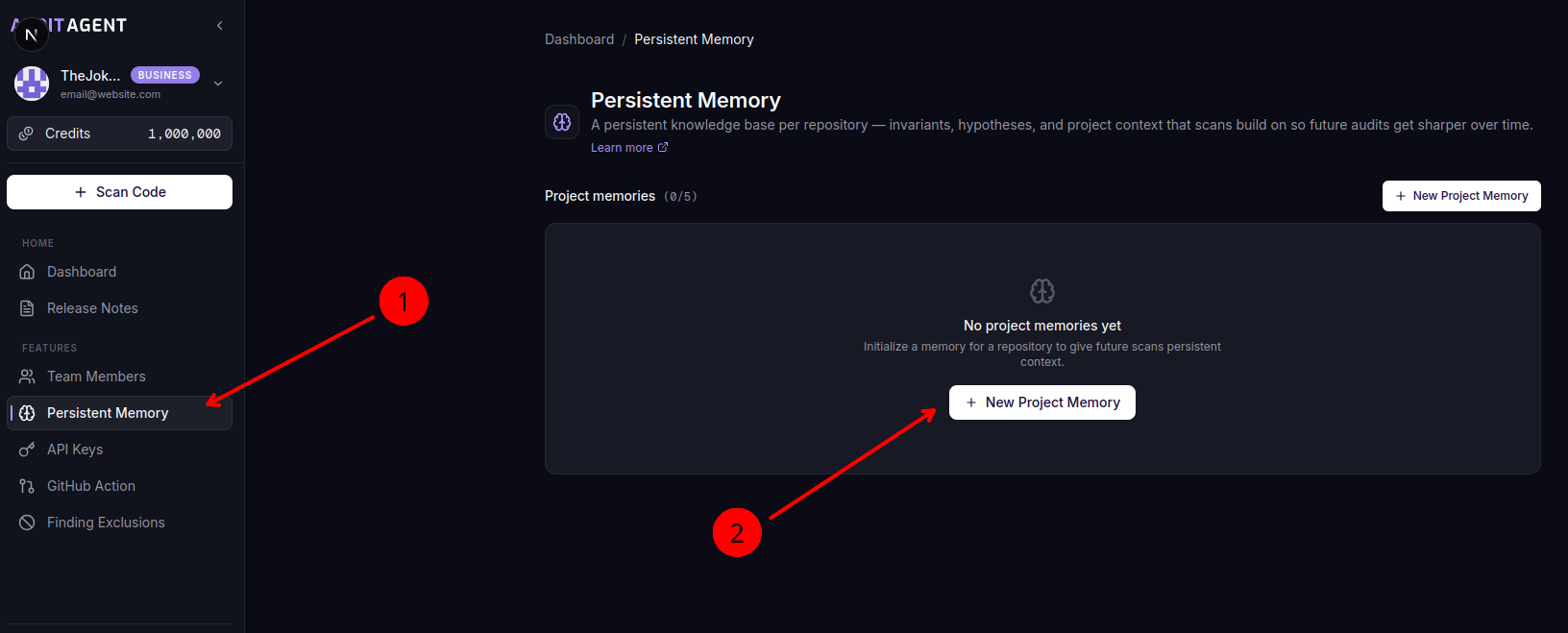
Go to Features in the sidebar, then select the Persistent Memory tab. You'll see a list of your existing project memories (if any) and a "New Project Memory" button.
2. Start the Initialization
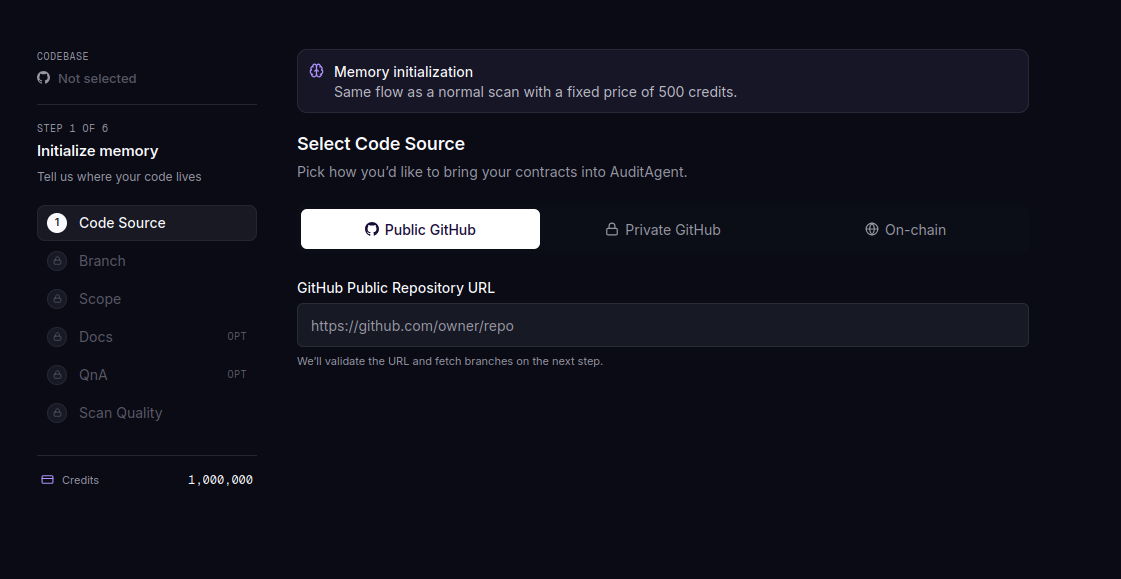
Click "New Project Memory". This opens the scan stepper in memory initialization mode.
3. Configure Your Project
Follow the same familiar steps as a regular scan:
- Select repository — Choose the project you want to build memory for. Repositories that already have memory are disabled to prevent duplicates.
- Select version — Pick a branch, commit, or published release to analyze.
- Select contracts — Choose which contracts to include.
- Add documentation — Optionally provide additional docs or links for richer context.
For details on each step, see the Getting Started guide.
4. Confirm and Launch
The final step shows the Memory Initialization pricing card:
- Cost: Free — initialization costs no credits, whatever the project size
- Duration: Up to 30 minutes
- Your plan's memory slots, and which one this initialization takes
Click "Initialize Memory" to start. There is no payment step — your plan decides how many memories you can hold, not your credit balance.
5. Track Progress
After launching, you're redirected to the dashboard. A progress toast appears showing the initialization status with a percentage indicator.
Once complete, the toast shows a clickable link to view your new project memory.
You can continue using AuditAgent normally while memory initializes. The process runs in the background and won't affect your other scans.
What Happens During Initialization
AuditAgent performs a thorough analysis of your codebase to build the initial knowledge base:
- Overview: A high-level summary of your project's architecture, dependencies, and key components
- Invariants: Properties that should always hold true in your contracts (e.g., "total supply never exceeds max cap")
- AST Analysis: Structural mapping of your contracts for accurate per-contract organization
- Documentation: Any docs or links you provided are ingested and stored
- Contradictions: Any detected mismatches between documented behavior and actual implementation
Threat modeling is not populated during initialization. It will remain empty until your first regular scan.
After Initialization
Once initialization completes:
- The memory status changes from Initializing to Ready
- A brain icon appears on the project's scan card in your dashboard
- You can access and manage the memory from the Features > Persistent Memory tab or by clicking the brain icon
- All future scans of this project will automatically use the memory to improve results