Overview
The Overview tab is the first place to look after a scan completes. It surfaces a severity-ranked summary of findings, the scan's key statistics, and your security score.
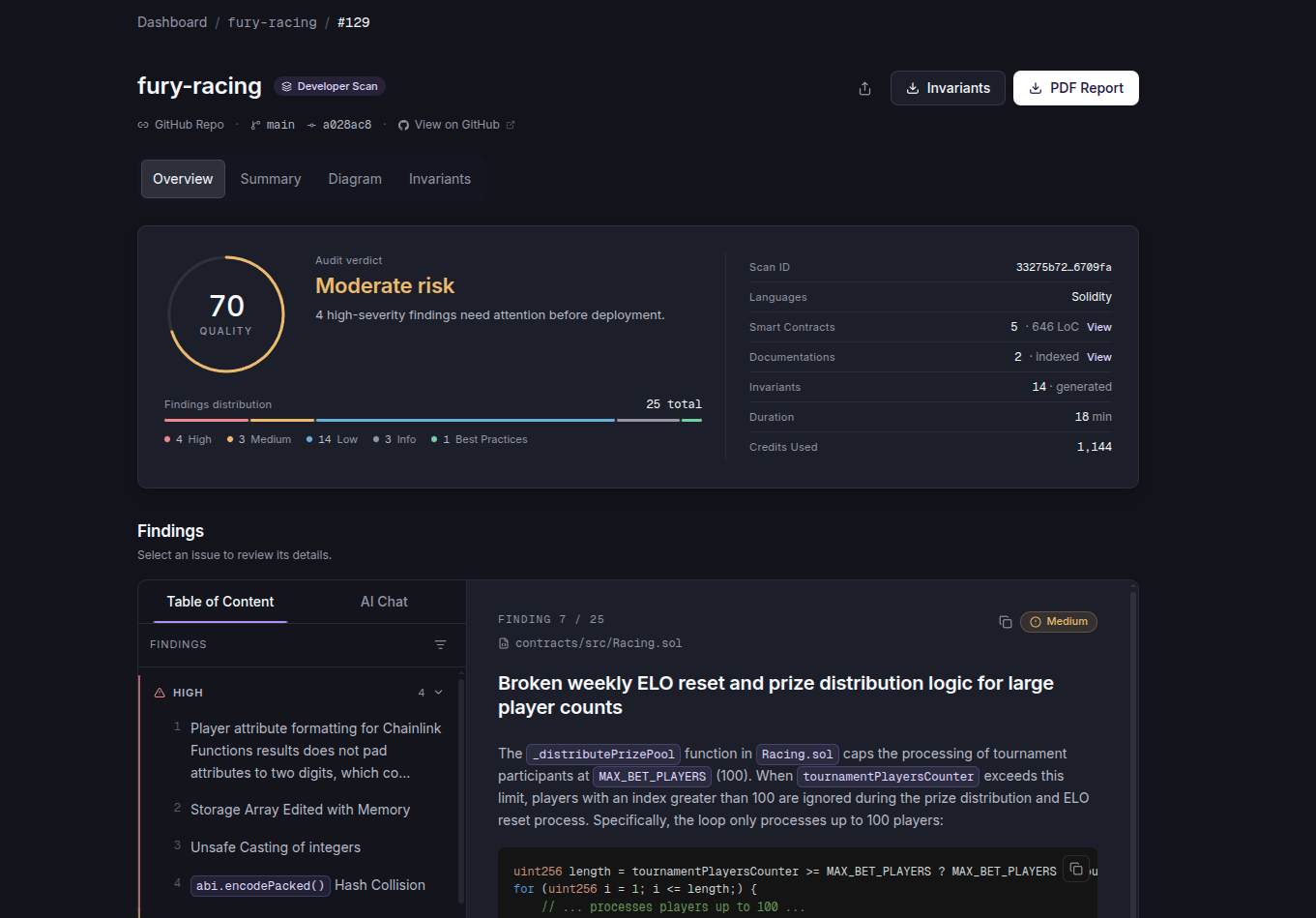
Severity chart
The chart on the left breaks down findings by severity.
- Total. The total number of findings across all severity levels.
- High. Critical vulnerabilities that should be addressed immediately.
- Medium. Important vulnerabilities that require attention.
- Low. Minor issues or areas for improvement.
- Info. Informational findings that do not pose a direct threat but might be of interest.
- Best Practices. Suggestions for adhering to coding best practices.
Each level is colour-coded and shows the count of findings in that category.
LLMs can hallucinate. Review every finding before acting on it.
Scan statistics
A snapshot of the metrics for this scan.
- Vulnerabilities Found. The total number of issues detected, including informational findings and best practices.
- Invariants. The number of invariants checked.
- Smart Contracts. The total number of smart contracts analysed. Click View for the full list.
- Documentations. The documentation files included in the scan context. Click View for the full list.
- Selected Branch. The branch that was analysed, for example
mainordevelop. - Scanned Commit. The specific commit hash the scan was performed on, useful for traceability.
- Languages. The contract languages detected in this scan.
- Scan ID. A unique identifier for this scan, useful for referencing or support.
Scan score
The Scan Score is a single number from 0 to 100 that summarises your project's security health. Higher is better. The most severe open finding sets the range (High keeps it between 10 and 69, Medium between 70 and 89, Low between 90 and 99) and each further finding lowers it within that range. Excluded findings, informational findings and best practices do not count.
A verdict sits under the score: Low risk from 80, Moderate risk from 60 to 79, High risk below 60. A single High with few other findings puts the scan at Moderate risk rather than failing it; several Highs put it at High risk.
When the score is below 100, a hint under the verdict reminds you that excluding a false positive updates the score. Click Review Findings to jump to the findings list, then exclude any finding that does not apply.
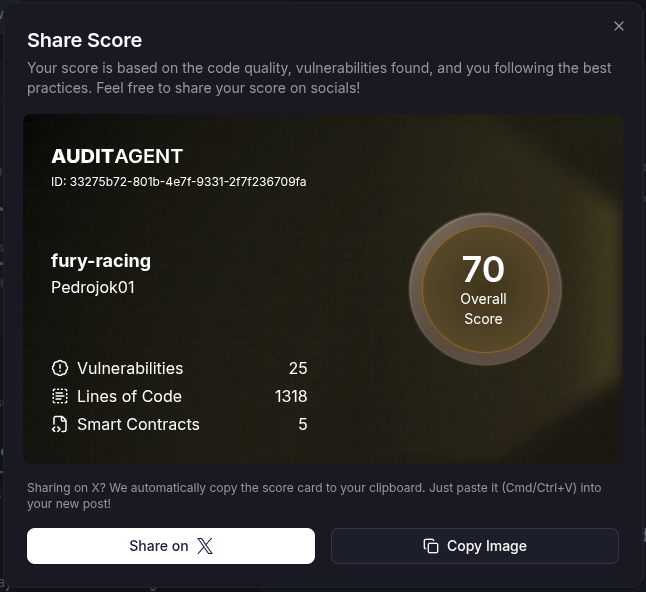
Use the Share button to share the score with your team or publicly. See Score Calculation for the full formula.
The score is experimental and can be affected by LLM false positives until you exclude them. Treat it as a benchmark, not an absolute.
Feedback
Use the Feedback section to tell us what is working and what is not. The product depends on this signal, so flag anything you notice. Click Send Feedback to submit a suggestion or report an issue.